Overview
App Store: TrainRunBuddy
TrainRunBuddy is a personal project designed to help Melbourne train drivers manage their shifts, log operational data, and reduce reliance on outdated paper slips.
Drivers often receive multiple slips in a day, which are hard to read and regularly updated. The app streamlines this process by offering digital run entry, notifications, fault logging, and historical insights.
Demo Setup
🚀 Quick Start
Use the link below to import a pre-filled backup with realistic shift and run data from 2026.
118+ shifts with logs, stats, and historical entries
Format: runbuddy://import-backup?url=[URL]
📱 Manual Setup
Step 1: Download the backup file
https://wwdc.trainnotes.au/RunBuddyDemoFiles.rbbackup
Step 2: Open RunBuddy and complete onboarding
Step 3: Navigate to Settings → Backup
Step 4: Select "Import Backup" and choose the downloaded *.rbbackup file
Key Features
📅 Shift & Leave Tracking
Log shifts, leave, attach slips, and clone regular patterns.
🚂 Run Entry
Digitally log each run with notes, timing, faults, and flags.
🚇 Metro Tunnel Support
Dedicated fields for tunnel runs and test operations.
📊 Trip Stats
Track kilometres, stations, and route frequency.
🔔 Notifications
Reminders for relief times and handovers.
☁️ Local & iCloud Storage
Data is saved locally with optional iCloud backup.
Slip to Digital Mapping
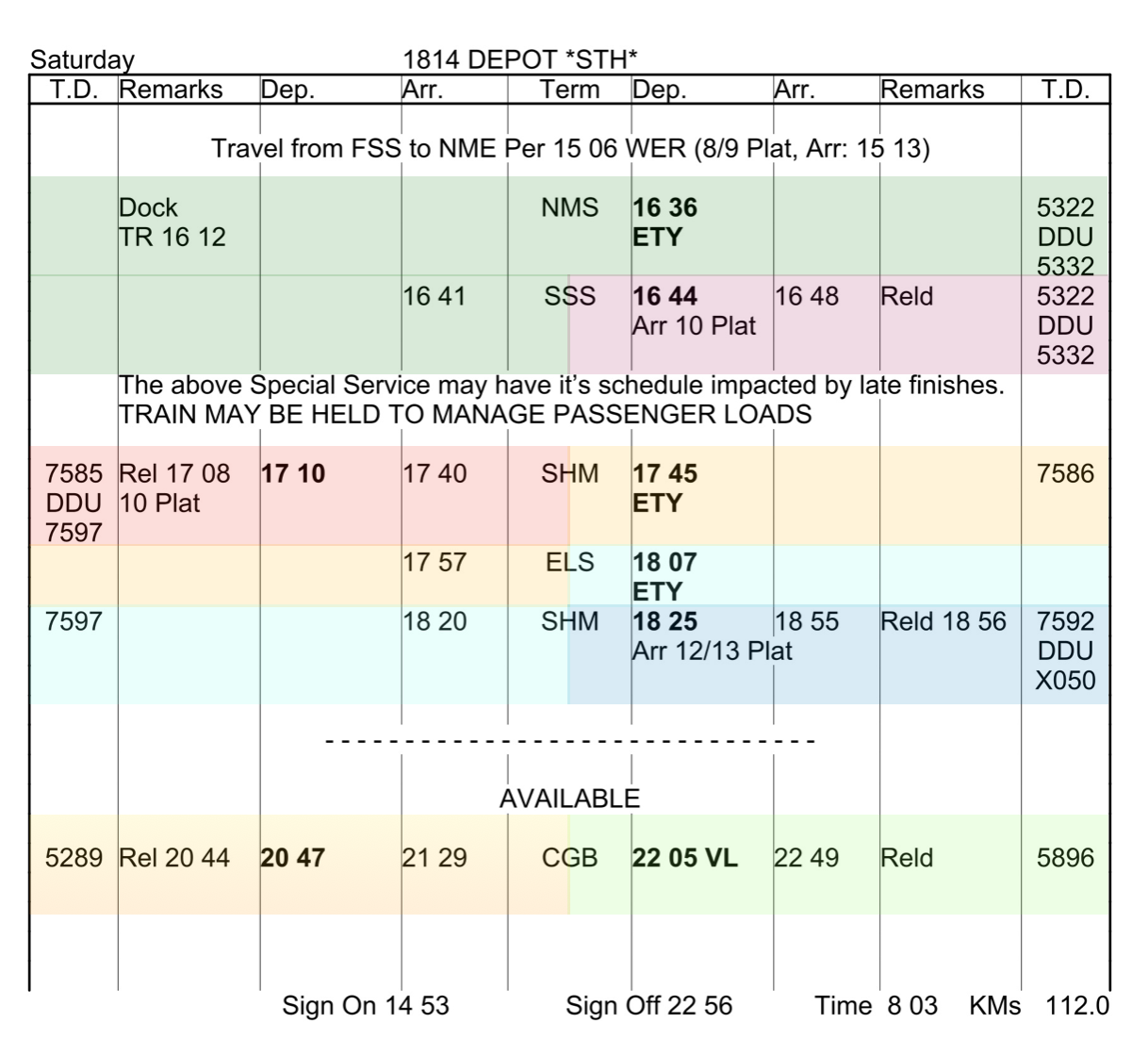
📄 Paper Slip
Manual slips are messy, frequently changing, and hard to follow. Each color = a run.
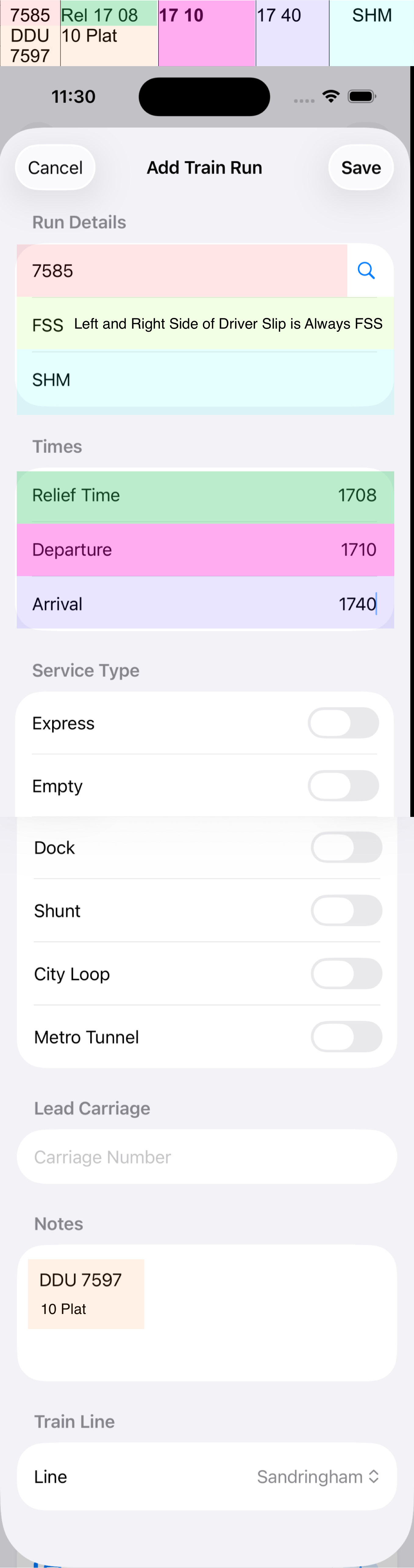
📱 App View
Fields correspond directly to run data: origin, destination, times, train number, and toggles.